
Built for the long climb.
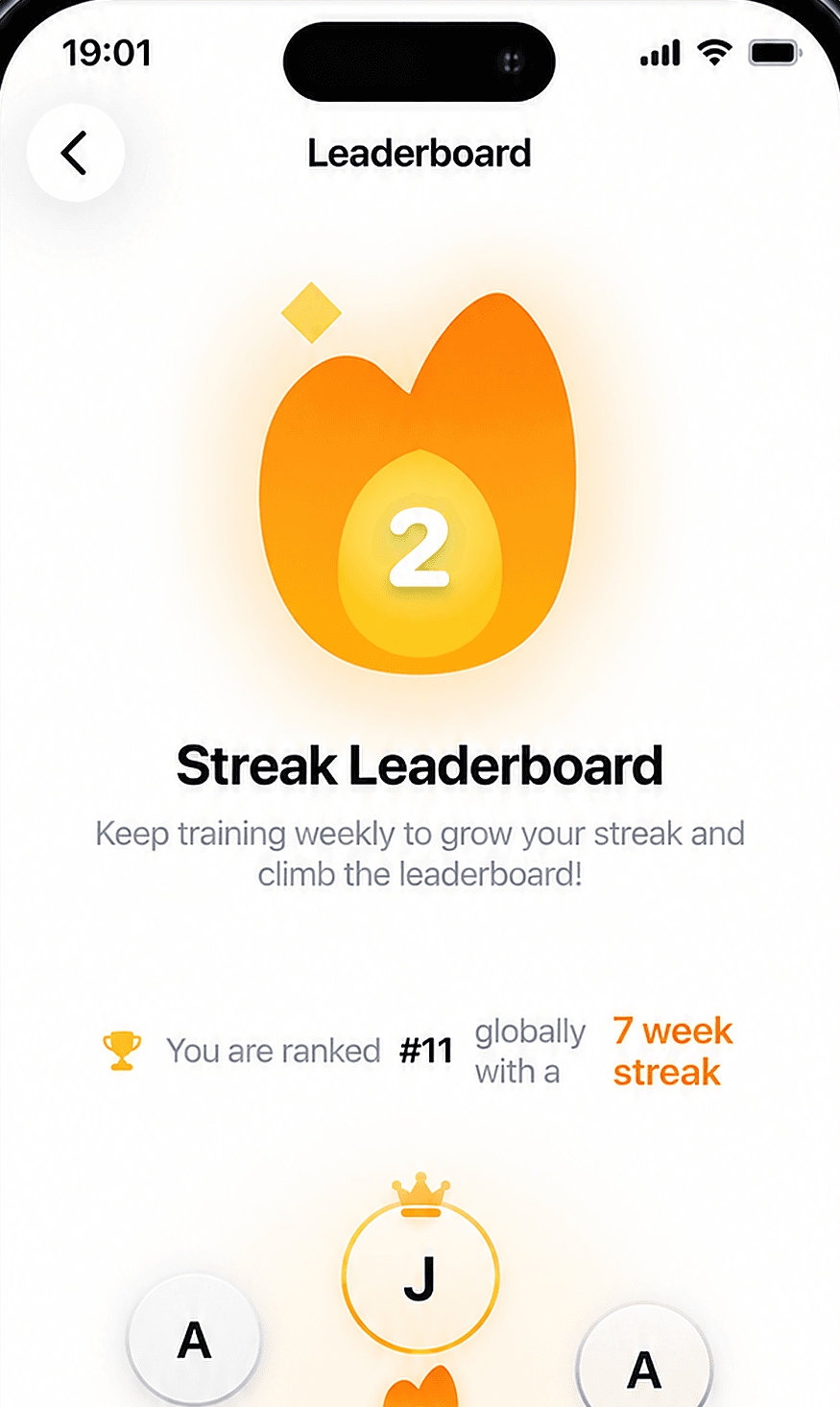
Streaks count weeks, not days, because rest is part of training. Follow routines you design, and let every session move you toward your target grade.
The climbing and bouldering tracker for iPhone. Log every session, see your progress, and climb with purpose.
Without a record, progress is just a feeling, and feelings are unreliable on a bad day.
| From memory | From your Climbly log |
|---|---|
| Was that a 6B or a 6B+? | The grade, attempts and outcome of every climb. |
| I think I trained twice last week. | Every session, with its date, type and place. |
| I feel stronger. Probably. | Your progress toward the grade you are chasing. |
Start a session in seconds, log as you climb, and Climbly keeps the record.
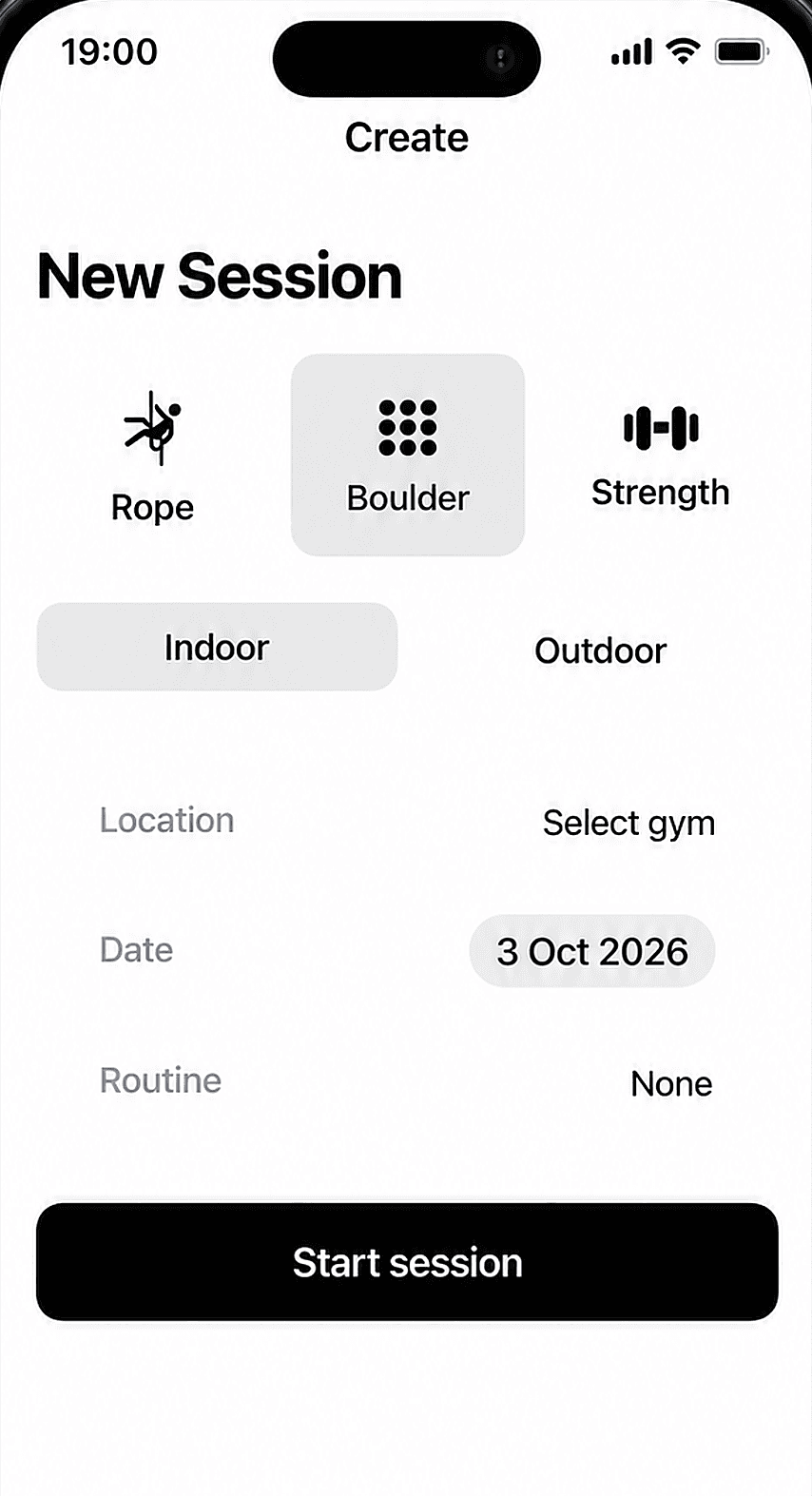
Pick the kind of session.
Gym laps and crag days, kept apart.
Your gym and the date, so every session has its place.
Attach one of your own routines, or train freely.
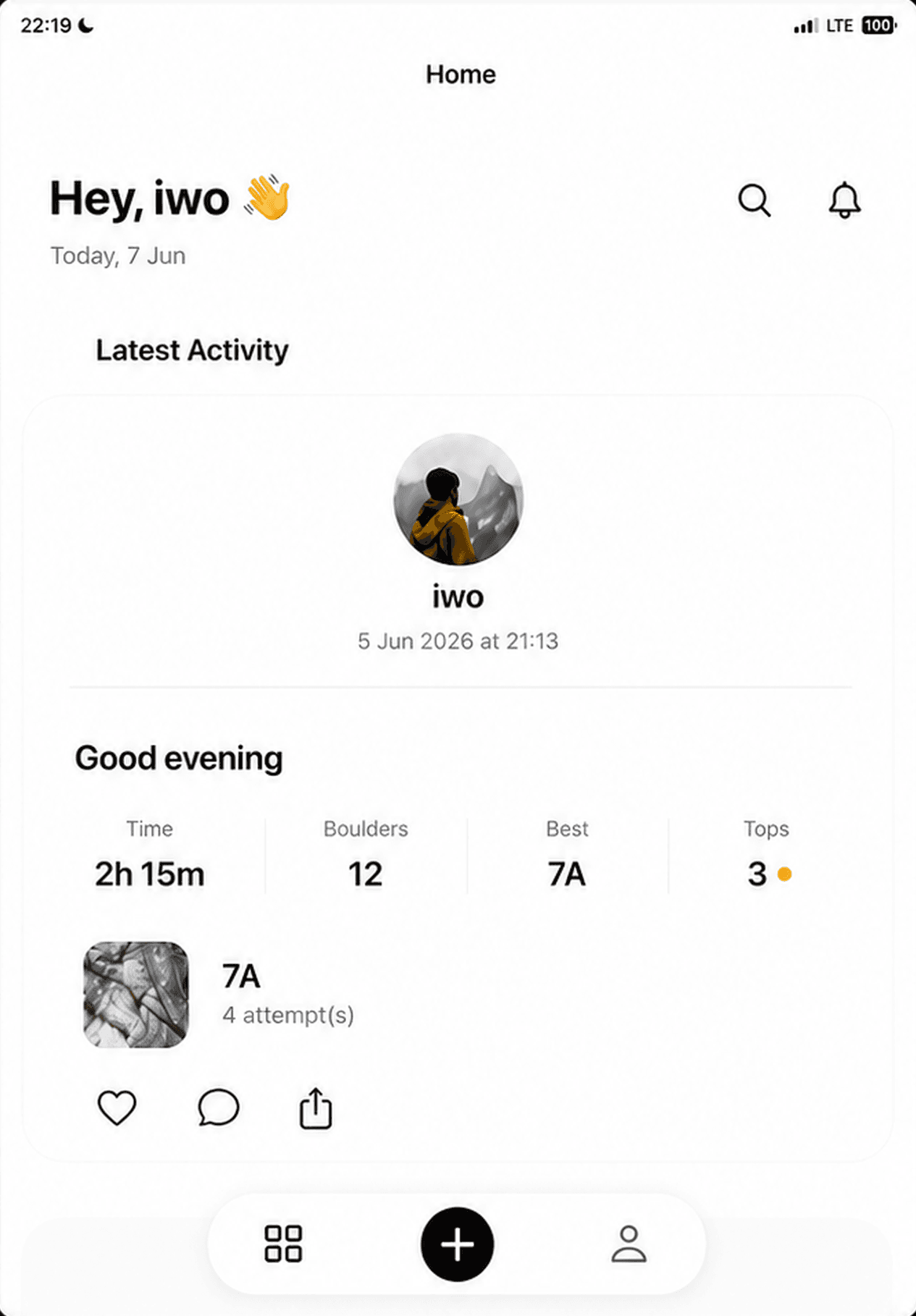
Grades, attempts and outcomes, saved to your history.
Climbly ties every session to the goal you set, so improvement becomes something you can point to.
Your target grade becomes the goal every session works toward.
Goal progress updates after every session: how far you’ve come, and what remains.
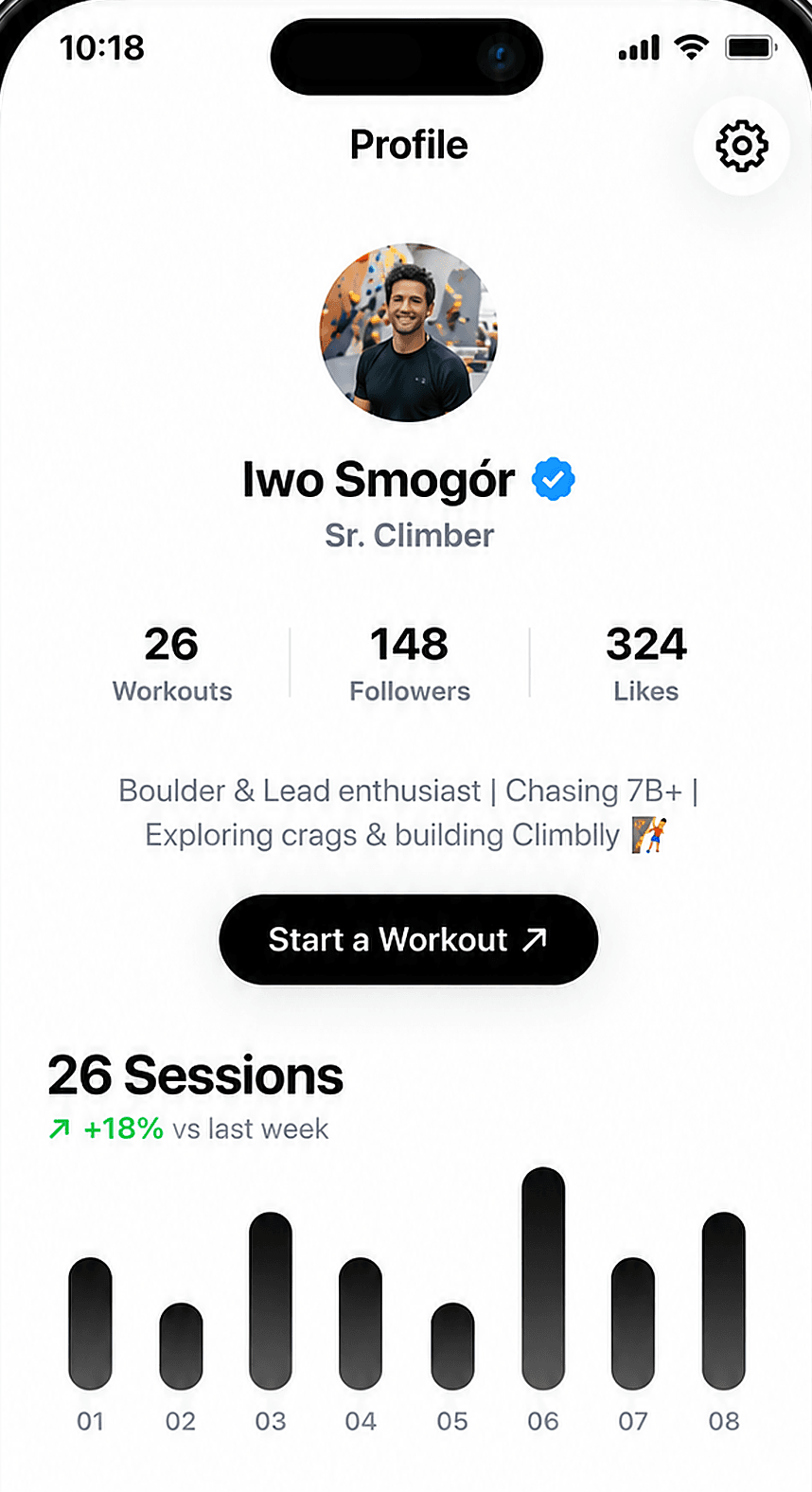
Your profile charts sessions over time against the week before.
Advanced stats and detailed session history with Climbly Pro.
Streaks count weeks, not days, because rest is part of training. Follow routines you design, and let every session move you toward your target grade.
Find the friends you climb with, see their sessions in Latest Activity, cheer them on with likes and comments, and compare weekly streaks on the leaderboard.
AI Climbing Coach · In development
A coach that learns from the training you already log. It isn’t available yet. Here’s what we’re building.
01
Reads the sessions, grades and attempts you already log.
02
Notices what’s hard to see one session at a time, like a plateau.
03
Proposes a focus for next time and explains why.
04
Turns your target grade into the next few sessions.
We are evaluating large language models, including Anthropic’s Claude. Climbly is not affiliated with or endorsed by Anthropic.
Climbly exists because progress is hard to see from the inside. Sessions blur together, grades feel different every week, and motivation fades when you can’t tell whether the work is paying off.
So we built the training log we wanted: quick to use at the wall, honest about your progress, and focused on the long term. Climbly is built by its two founders, Natan and Iwo Smogór, in Poland, with 12 releases since launch in June 2026.
More about ClimblySomething else? Email iwo.workspace@gmail.com.
Climbly is a climbing and bouldering training tracker for iPhone. You log your sessions and climbs, set a target grade, and see how your training adds up over time.
Boulderers and sport climbers who want a clearer picture of their training, whether you are working toward your first project or pushing into harder grades.
Yes. Climbly is live on the App Store for iPhone and iPad and requires iOS 17 or later.
Yes. When you start a session you choose Rope, Boulder or Strength, and whether you are training indoors or outdoors.
Start a session, pick the type, setting, gym and date, and optionally attach one of your routines. Log each climb with its grade, attempts and outcome as you go. Finished sessions build up your training history and update your progress toward your goal.
Climbly is free to download. Climbly Pro is an optional monthly or yearly subscription that unlocks advanced stats and detailed session history. Prices for your region are shown in the App Store, and you can manage or cancel it in your Apple Account settings.
No. The AI Climbing Coach is in development and is shown in the app as coming soon. Nothing in Climbly uses AI today.
Email us at iwo.workspace@gmail.com. The Support page also covers subscriptions, billing and deleting your account.
Download Climbly for free and log your first session today.